
Less charting.More chairside
time.
Your words. Your voice. Your chart.
Type or speak your findings to bring periodontal charting, restorative findings and clinical notes into one connected patient encounter.
FROM YOUR FINDINGS TO THE CHART
Speak it. Type it.
See it take shape.
Capture findings in your own flow. Review every assisted entry before it becomes part of the encounter.
Example voice transcript
Example: Tooth 3, pocket depths 3, 2, 3. Bleeding on distal.
Try a different example or switch input modes. These sample shortcuts illustrate the workflow.
See the actual result.
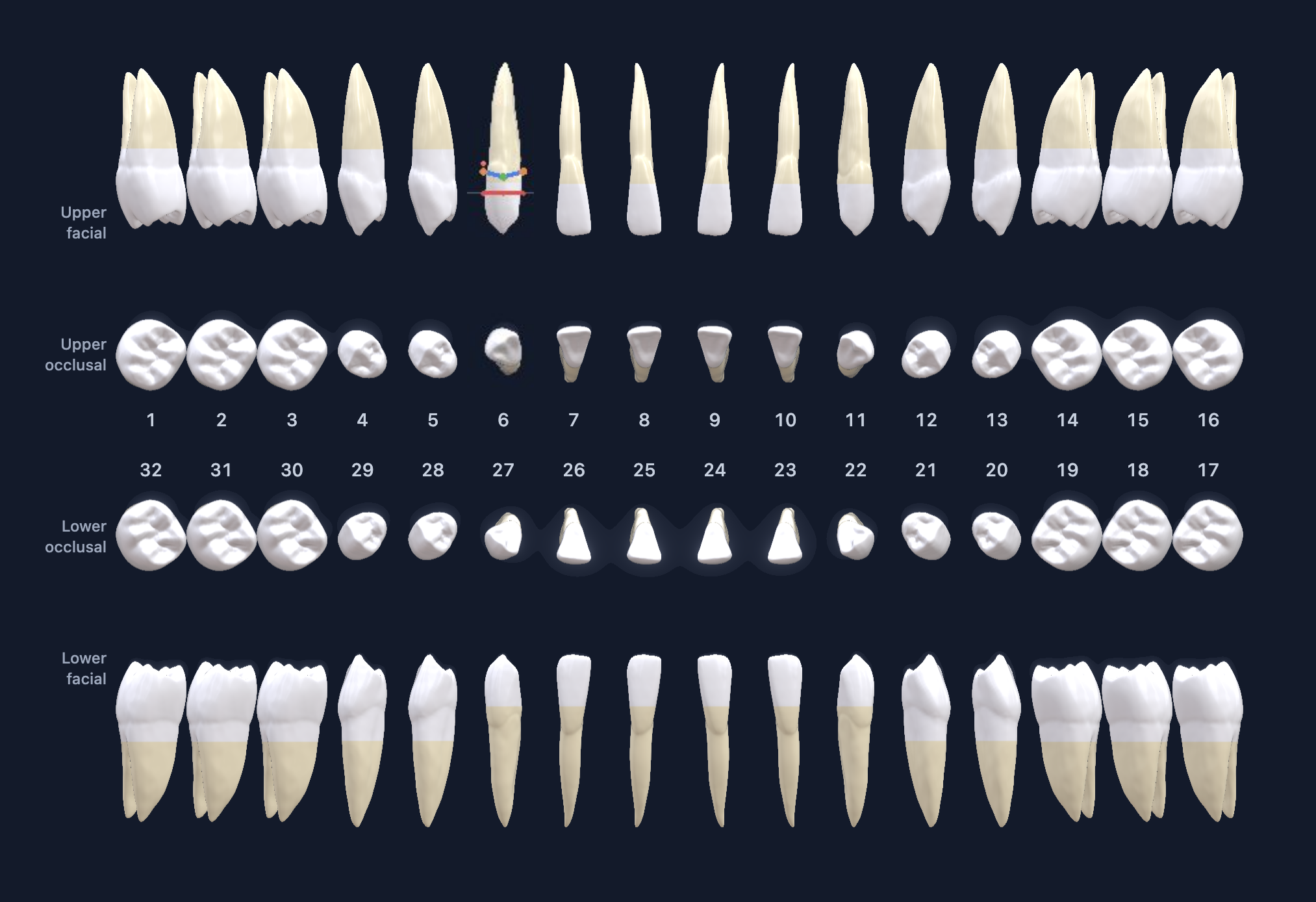
Sample patient encounter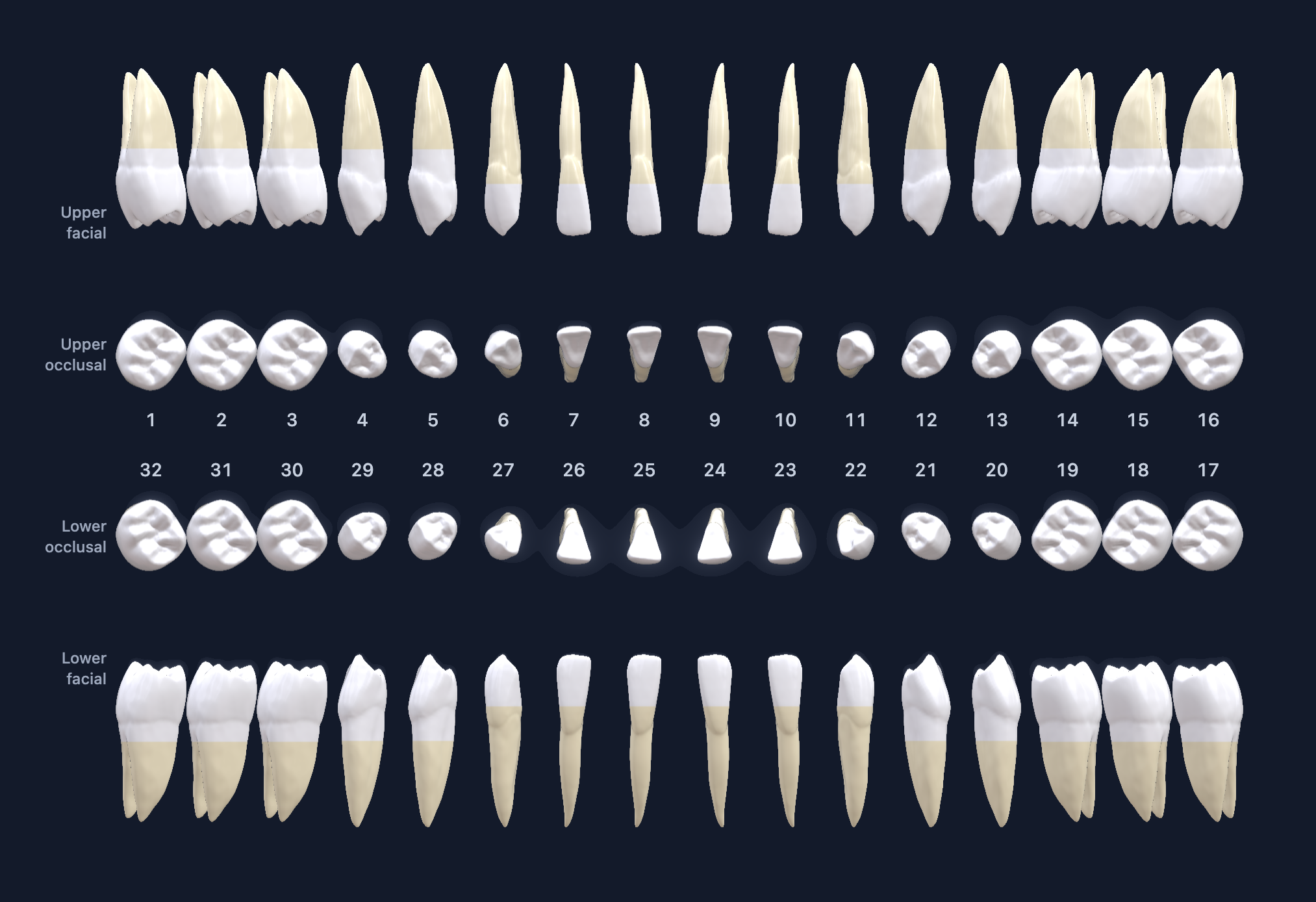
AI clinical note preview
Awaiting findingsCapture a finding to preview its clinical note.
Draft for clinician review. Confirm accuracy before finalizing.
Findings will appear here as the example is captured.
Assisted entries stay in review until a clinician checks them.
Interactive demonstration using sample findings and prepared note previews. Review assisted entries before finalizing.
MORE TIME. MORE POSSIBILITY.
What could your clinic
do with more time?
Estimate the time Dentmap could give back to your team, and what those hours could be worth.
TIME BACK FOR YOUR TEAM
7–13hours
Saved / week
347–693hours
Saved / year
Estimated annual value of time recovered
$11,520 CAD
$960 CAD / month
48 minutes recovered per working day × 5 days.
Estimates reflect the value of staff time recovered. Actual results vary by workflow. This is not guaranteed cash savings or additional revenue.
Dentmap subscription costs are not included.
See how Dentmap could fit your clinic.
How we calculate this +
Weekly minutes saved = patients charted per clinician per day × clinicians × working days per week × 5–10 minutes. The fixed illustrative range gives a lower and upper estimate.
Weekly hours saved = weekly minutes saved ÷ 60.
Annual hours saved = weekly hours saved × 52 weeks. Annual working days = working days per week × 52. This assumes a full year and does not subtract holidays or leave.
Annual time value = annual hours saved × hourly value of staff time.
Monthly time value = annual time value ÷ 12.
Currency conversion uses the displayed Bank of Canada daily exchange rate. The hourly rate and money results convert together; time estimates stay the same. Calculations retain full precision. Hours display rounded to whole hours; currency displays to the nearest whole dollar. These are user-defined estimates, not verified Dentmap performance.
CONNECTED PATIENT EXPERIENCE
Your charting.
Their understanding.
Bring patients into the picture with a clear view of their teeth, findings, and recommended next steps, updated from their clinic’s chart.
Sign up for early access ↗︎
Upper right
first molar
has been updated.
Your teeth.
Your tooth chartBlue tooth · filling recommended
YOUR RECOMMENDATION
Upper right molar
Filling recommendedYour dentist recommends a filling to repair this tooth.
Updated by your clinic
Select the upper right molar.
Illustrative patient experience · Sample chart and recommendation
THE ENTIRE ENCOUNTER, CONNECTED
From the first finding.
To the next step.
One flow for your team. One clearer picture for your patient. Bring charting, clinical notes, review and recommendations into the same encounter.
HOW IT WORKS
One connected workflow.
Six considered steps.
Explore each stage, from capturing the first finding to sharing what comes next.
01Capture the finding.Speak naturally. Type your shorthand. Keep the encounter moving.+
Voice-assisted periodontal charting and typed findings bring the details into a structured encounter. Review and correct assisted entries before finalizing.
Pocket depths; bleeding on probing and suppuration; gingival recession and clinical attachment levels; furcation and mobility; plaque, calculus and keratinized tissue measurements.
02Build the clinical picture.Keep periodontal, restorative and pathology findings together.+
Record findings by tooth and surface. Choose Universal, FDI or Palmer numbering to suit your practice.
Mesial, distal, occlusal, incisal, buccal/facial and lingual findings. Existing restorations and pathology; composite and amalgam; crowns, bridges, veneers, implants, post and core, stainless steel crowns and temporary restorations. Missing teeth, fractures, watch areas, sealants, attrition, abrasion, hypoplasia and diastema.
03Review with confidence.Every assisted entry gets a clinician’s final say.+
Check the chart, correct the details and confirm what belongs in the encounter. Clinical judgment stays with your team.
Review tooth surfaces, measurements and the wording of findings. Keep an audit history of the record as the encounter progresses.
04Bring the note together.Let the findings give your documentation a clear starting point.+
Bring chart findings into a clinical-note draft and add your own narrative. Review the completed note before finalizing.
SOAP notes, encounter documentation and clinician narrative stay connected to the chart. The draft supports your documentation; it does not make a clinical diagnosis or treatment decision.
05Prepare the next steps.Connect the clinical plan with the practical details.+
Build the treatment plan with insurance and chair-time estimates, plus procedure-aware prompts that help the team prepare.
Supporting tools include administrative analytics and practice-management connection options. Confirm the connection available for your practice when joining early access.
06Keep the patient connected.A clear recommendation patients can understand after the visit.+
Share chart updates and treatment recommendations through the connected patient experience, and export the encounter as a PDF when needed.
Patients see their teeth, the finding and the next step in plain language. The clinic retains the detailed chart, documentation and audit history.
CONNECTED TO YOUR PRACTICE
Integrated with your existing PMS.
Less switching between tasks.
More time for the encounter.
A FEW MORE DETAILS
Good questions.
Clear answers.
What does Dentmap bring together? +
Periodontal charting, restorative findings and clinical notes in one connected encounter, with treatment planning, PDF export and audit history.
Can I use voice or typed charting? +
Yes. Voice-assisted periodontal charting and typed findings help structure your entries. You review and correct assisted entries before finalizing them.
How do patients stay connected? +
The connected patient app gives patients access to synced chart updates and treatment recommendations on their phone.
Which tooth numbering systems are supported? +
Dentmap includes Universal, FDI and Palmer numbering options.
How can I get early access to Dentmap? +
Complete the early-access form below with your role and practice-management system. We’ll follow up using the email you provide.
LET’S MAKE MORE TIME FOR CARE
Your next encounter.
More connected.
Be among the first to bring Dentmap into your practice.
EARLY ACCESS · SIGNUP RECEIVED
You’re on the list.
Thanks for your interest in Dentmap. We’ve received your details and will contact you at with early-access updates.
More chairside time starts here.